
How to set up an ergonomic workspace

Working from home can involve a well set up home office akin to, or more comfortable than your normal workplace, or it could involve a laptop on your coffee table whilst your kids watch Paw Patrol next to you. It’s unlikely that everyone currently adjusting to working from home has the ideal setup, but there are ways to optimise what have to make it as ergonomic as can be.
The ideal situation is a desktop computer on a desk. If you don’t have that capability, the next best is a laptop or tablet set up with an external mouse and keyboard. You should use a laptop stand or a stack of big books to make your eyes level with the top third of the screen to minimise the risk of back pain. Of course, it goes without saying that we should all limit use of tablets and phones for work, and use a laptop or desktop wherever possible.
What to consider for an ergonomic workspace:
Preferably find an area of the house where work or study can be done without too much distraction. It can be outside if the climate is agreeable. Where possible, avoid areas of the house with heavy use from other people, such as the kitchen and living room.
If using a desktop monitor, have the monitor at approximately arm's length away and set it at a height where your eyes sit within the top ⅓ of the screen.
If using a laptop or tablet, it is preferable to raise the monitor up and connect an external keyboard and mouse.
If using a laptop or tablet without an external keyboard or mouse, taking more regular breaks or changing your working position will help avoid pain.
An adjustable chair is preferable, but a solid backed dining chair and a cushion or two can make a decent substitute.
Your mouse should be close enough to your body that your arm is not outstretched at any point. Keeping it adjacent to the keyboard will ensure this.
MAY WE SUGGEST: Home office ideas sure to inspire productivity
Don’t forget your health and safety protocols just because you’re in your own home. Your employer may already have a health and safety procedure or checklist for home, but at a minimum you want to account for the following:
Is there a safe work space free from trip hazards (such as rugs and cables)?
Is there a broadly safe environment including an exit, smoke alarms and a first aid kit?
Is there appropriate lighting and ventilation? These are both very important and can help keep focus and minimise headaches or eye problems.
Are there ergonomic necessities such as a desk large enough for your daily tasks, and a phone and mouse within reach?
Is there a chair that adjusts to ensure your feet are flat on the floor?
In terms of individual ergonomics and posture for you and your family, the most important thing to remember is that no matter how ideal your setup is, if you sit at it for eight hours a day without moving, that will not have a great outcome on your physical or mental wellbeing. I recommend taking a short five minute movement break at least every 60 minutes, and a longer 15-30 minute break every couple of hours. There are a range of exercises to do during a break on my website.
Matt Jeffers is a movement specialist based in Australia. He is available for remote ergonomic assessments.
MAY WE SUGGEST: Stylish creatives on working from home
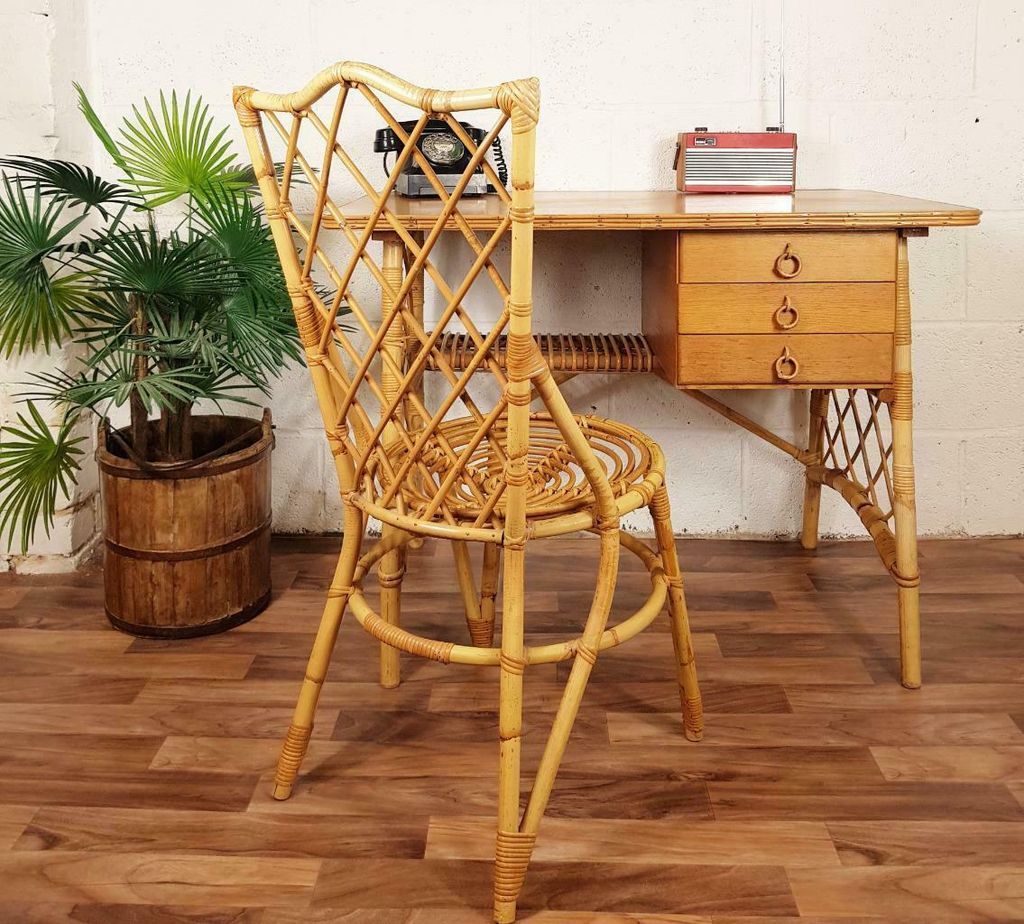 1/22
1/22Vintage bamboo desk and chair by Louis Sognot, £695, from Vinterior.
 2/22
2/22'S 285' writing desk, £6,864, from The Conran Shop.
 3/22
3/22'Camilla' swivel chair, £598, from Anthropologie.
 4/22
4/22Oak and red gloss metal 'Kirby' desk, £150, from Habitat.


 5/22
5/22Natural ash and Vienna straw 'Latis' desk, £2,795, from The Conran Shop.
 6/22
6/22Mart Stam for Thonet, 'S 34' chair, £924, from The Conran Shop.
 7/22
7/22'Bourbon' vintage-style desk in dark blue, £299, from Made.com.
 8/22
8/22‘Colette’ limed oak desk, 78 x 110 x 79.5cm, £7,800; ‘Rivoli’ limed oak and leather chair, 84 x 50 x 45cm, £2,100; both from Houghton Deco.


 9/22
9/22Steel and leather ‘Afteroom Lounge Chair’ (cognac), by Afteroom, 75 x 70 x 80cm, £1,699, from Menu.
 10/22
10/22'Lommarp' desk, £115, from Ikea.
 11/22
11/22Solid oak 'Portobello' desk, £713.50, from Maisons du Monde.
 12/22
12/22Eames leather swivel office chair, £2,542, from The Conran Shop.


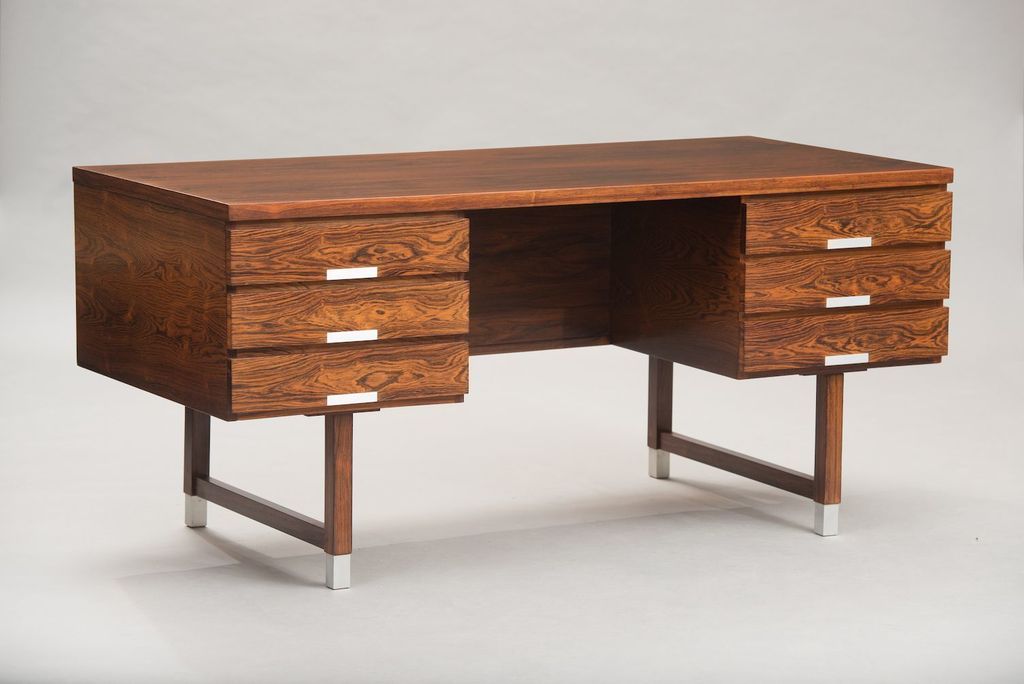 13/22
13/22Danish Brazilian rosewood desk by Kai Kristiansen for Feldballes Møbelfabrik, 1960s, £4,520, from Vinterior.
 14/22
14/22Optical inlay desk, £1,498, from Anthropologie.
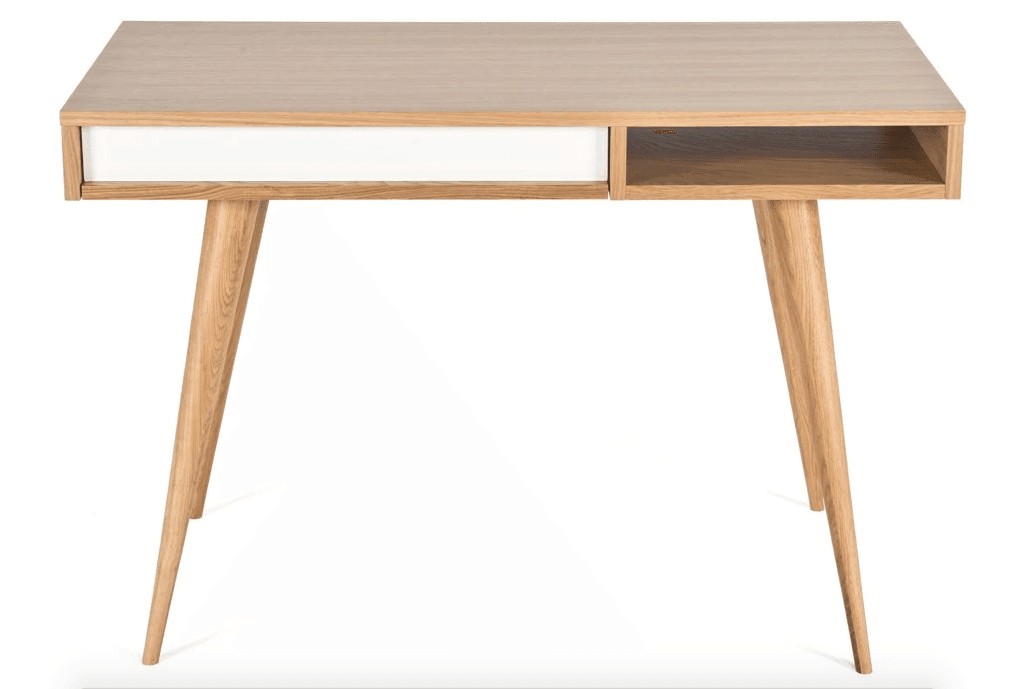 15/22
15/22Nazanin Kamali for Case Furniture 'Celine' desk, £499, from The Conran Shop.
 16/22
16/22'Higgs' chair in pine green velvet, £229, from Made.com.


